Blending Two Patterns
Layer two patterns together and crossfade between them — the two effects render on top of each other, composited on the GPU.
Starting a blend
Press two number keys at once (for example 1 and 3) to blend the patterns in those slots. You'll see both names appear together in the selection, with the blend controls above the parameters.
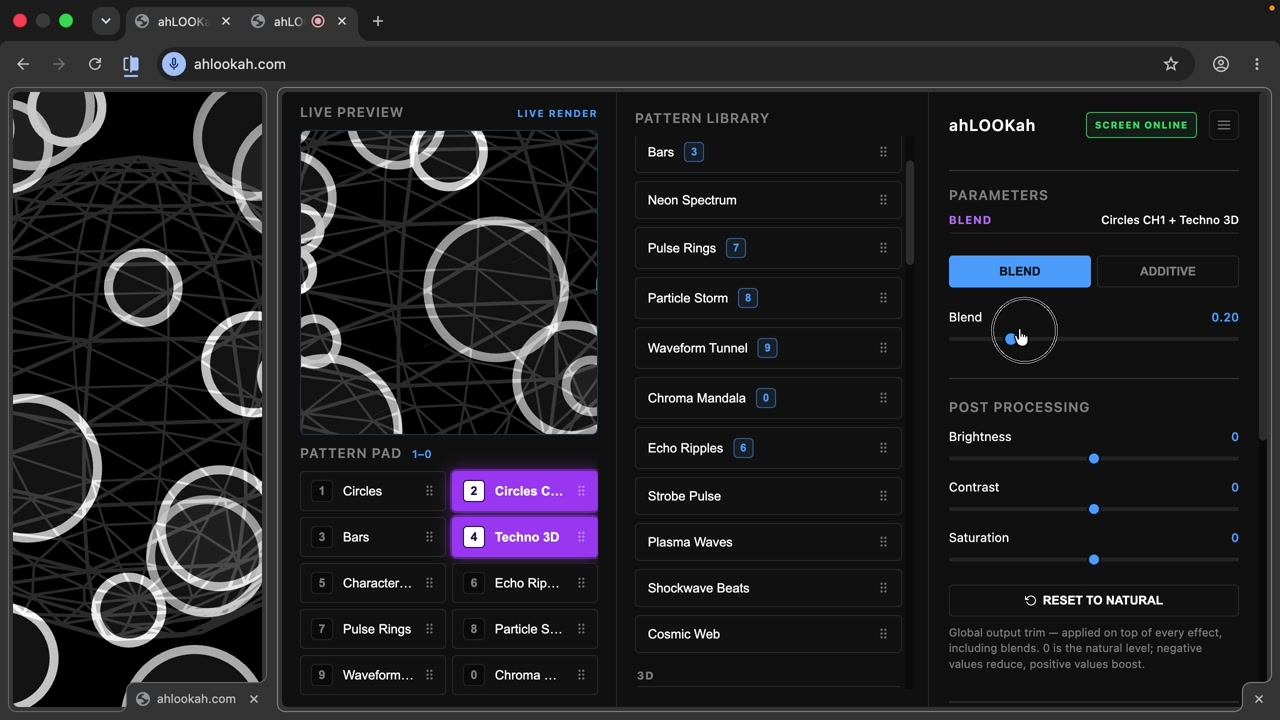
Blend modes
- Blend — a crossfade: one effect fades in as the other fades out.
- Additive — the two effects are added together, so bright areas stack and glow.
Keyboard controls
| Key | Action |
|---|---|
| + / - | Nudge the blend slider up or down |
| Tab | Switch between Blend and Additive modes |