EQ & Noise
The band-split EQ controls how audio drives the visuals, and the noise-floor capture keeps a noisy room from muddying the show.
Band-split EQ
Most patterns are audio-reactive — they respond to the bass, mid, and high frequency bands. The EQ lets you define exactly where those bands split.
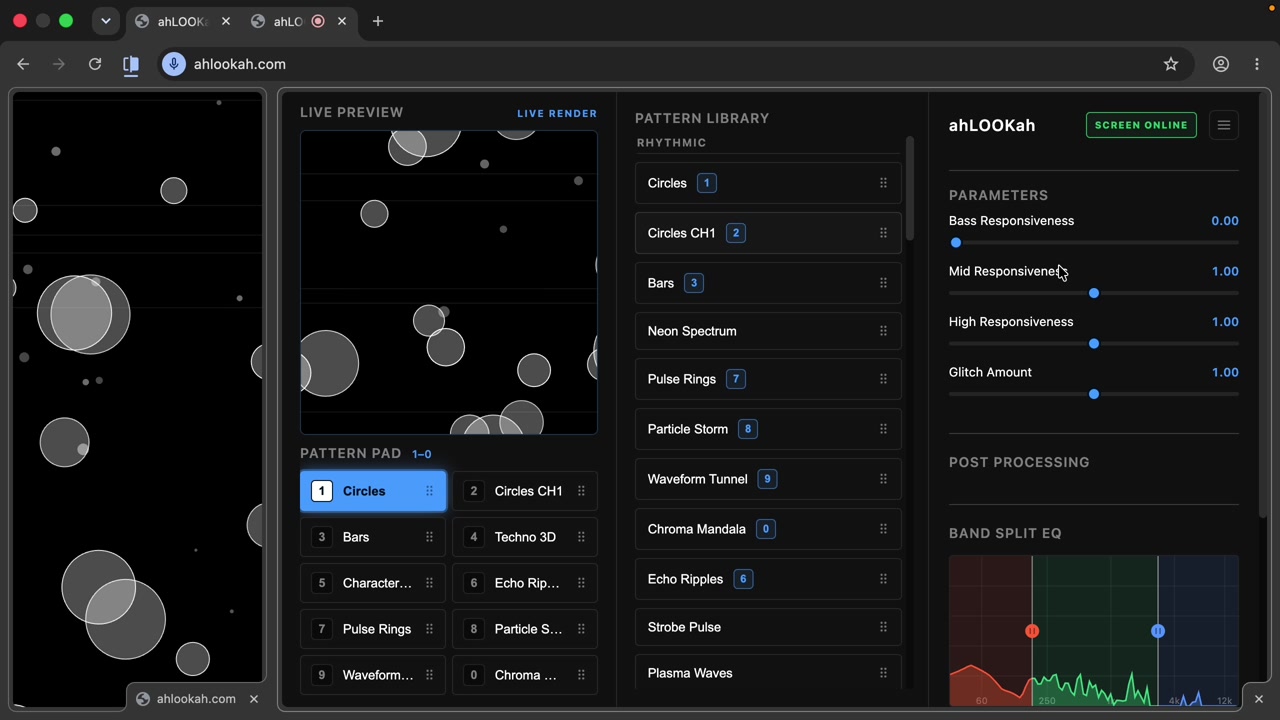
Drag the handles between the bands to reshape how the audio maps onto the visual — for example, widen the bass region so low frequencies drive more of the effect.
Noise-floor capture
If your microphone picks up room noise — fans, crowd chatter, a noisy PA — capture a noise floor and ahLOOKah subtracts it from the signal before driving the visuals.
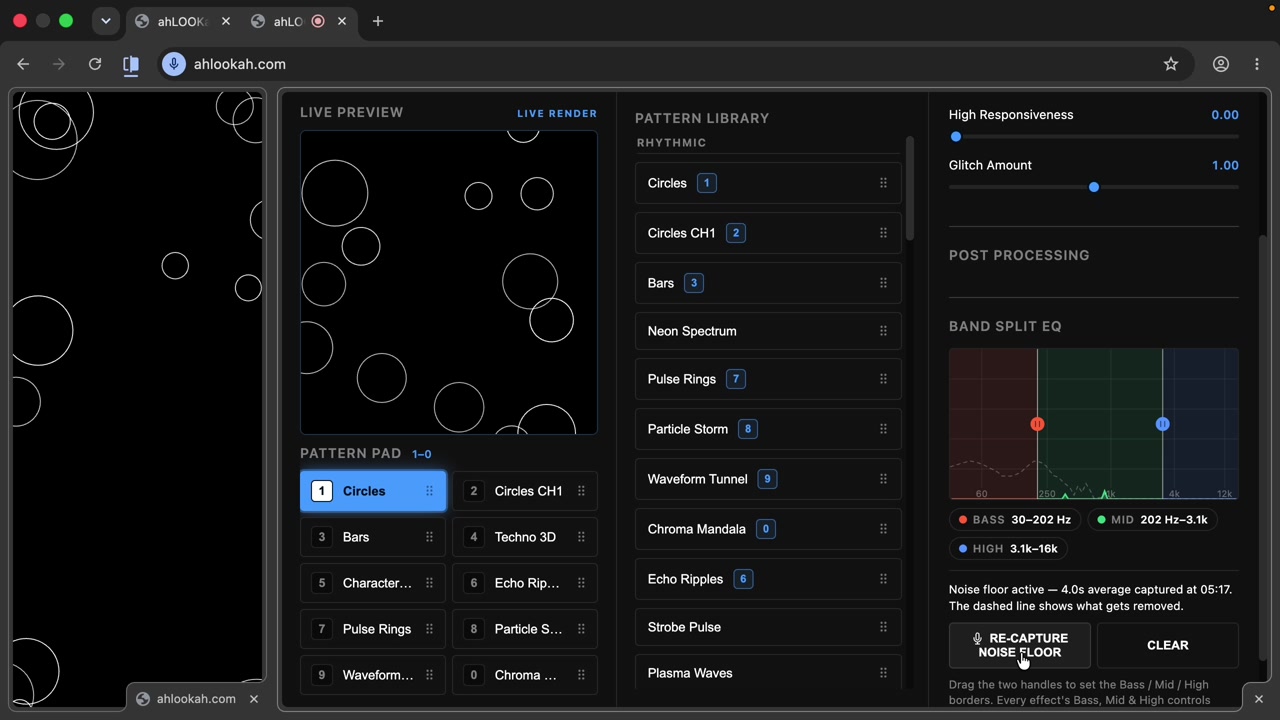
- Click Capture Noise and stay quiet for a few seconds.
- ahLOOKah averages the captured noise and normalizes the flow.
- Use Clear any time to remove the profile and go back to the raw signal.
When to use it Only capture a noise floor if the environment is genuinely noisy. In a quiet room it's unnecessary — and clearing it is instant.