Projects
Everything you set up — parameters, pad order, EQ and noise floor, screen and projection calibration, media patterns, your custom scripts and node graphs — is one project. Save it as a single file, open it anywhere, or clear the browser and start again.
Where the project actions live
Open the app menu in the control panel. The last three entries manage the project:
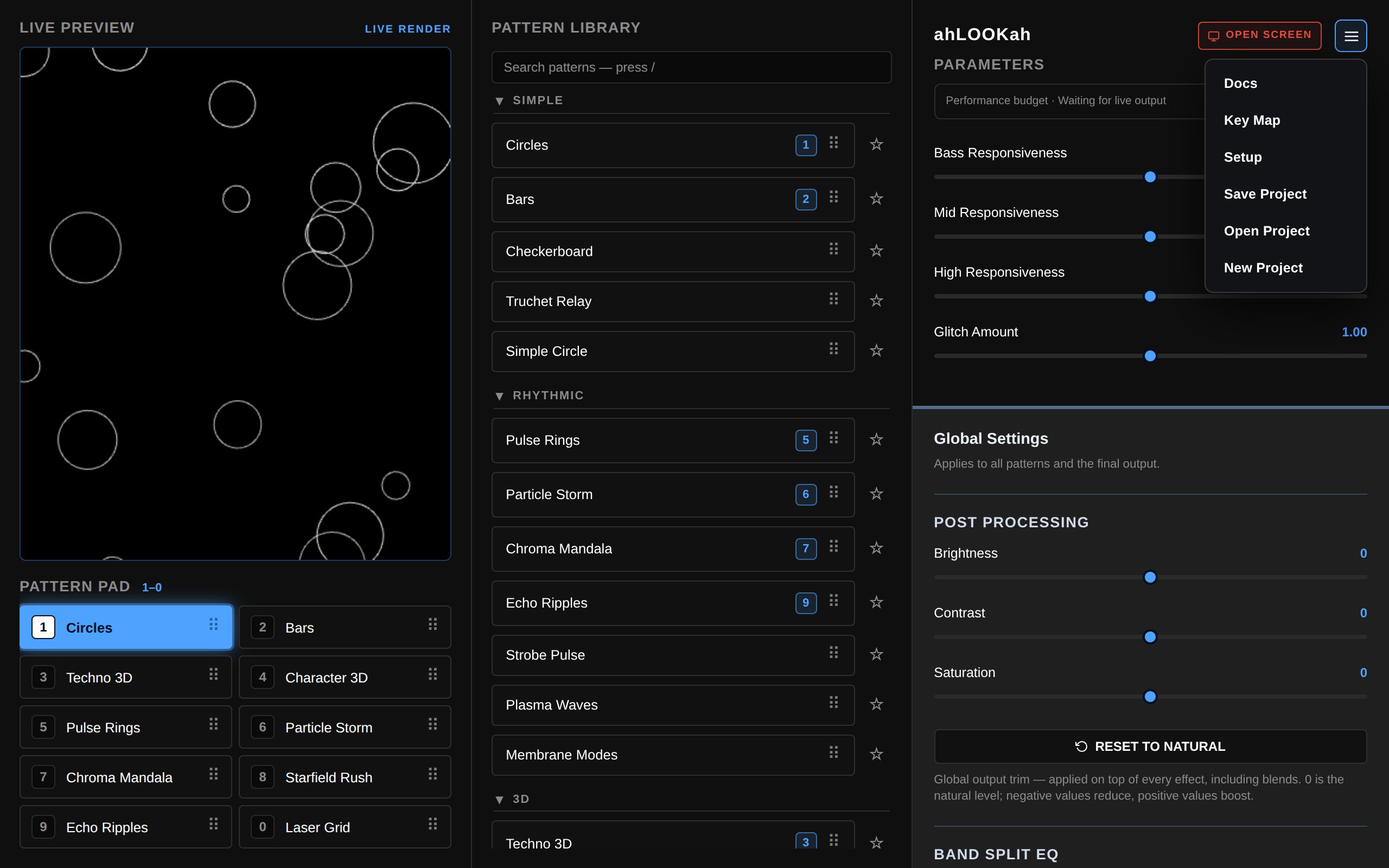
Save Project
Save Project asks where to put the file and what to call it — the suggested name is ahlookah-project-YYYY-MM-DD.json — and writes one JSON document. In a browser without the File System Access save picker, or when the chosen location refuses the write, the same file downloads normally instead.
What travels:
| Saved | How it comes back |
|---|---|
| Every persisted setting — parameters, pad order, effect order, EQ, noise floor, screen calibration and edge blur, projection layouts, favourites and collapsed groups, panel state | Stored verbatim, so the round-trip is lossless. |
| Media patterns (name, kind, MIME type, size, file name) | Listed again, but the files are never copied — they need re-linking on another computer. See Media Patterns. |
| Custom Scripts, Node Patterns and Media folder identities plus the file names inside them | A directory ID per section, never a native handle. |
| Script code fingerprints (SHA-256 of the source) | Only the digest — never the code, and never trust. |
What is deliberately not in the file: native folder handles (a browser will not let one leave its origin), script or graph source text, media bytes, and per-window state such as tab identity or the audio capture lease.
Tip A project file is plain JSON — good for backups, for a second machine, and for handing a show to somebody else.
Open Project
Open Project opens such a file here. It replaces this browser’s project rather than merging into it, so save first if you want to keep what is already there. When it finishes you get a summary — settings restored, local settings cleared to match the file, media patterns restored, directories resumed — and a reload so every window starts from the loaded project.
Linked directories are resolved by identity, before anything is asked:
- Same computer — a directory the project was saved from is adopted straight away (its name is verified), media files inside it are re-pointed automatically, and nothing is re-picked. Switching between projects therefore keeps every linked folder working, with no re-linking.
- Another computer — the identity has no handle here, so opening stops: a blocking dialog lists each expected directory and the open does not complete — no summary, no reload — until every one is linked.
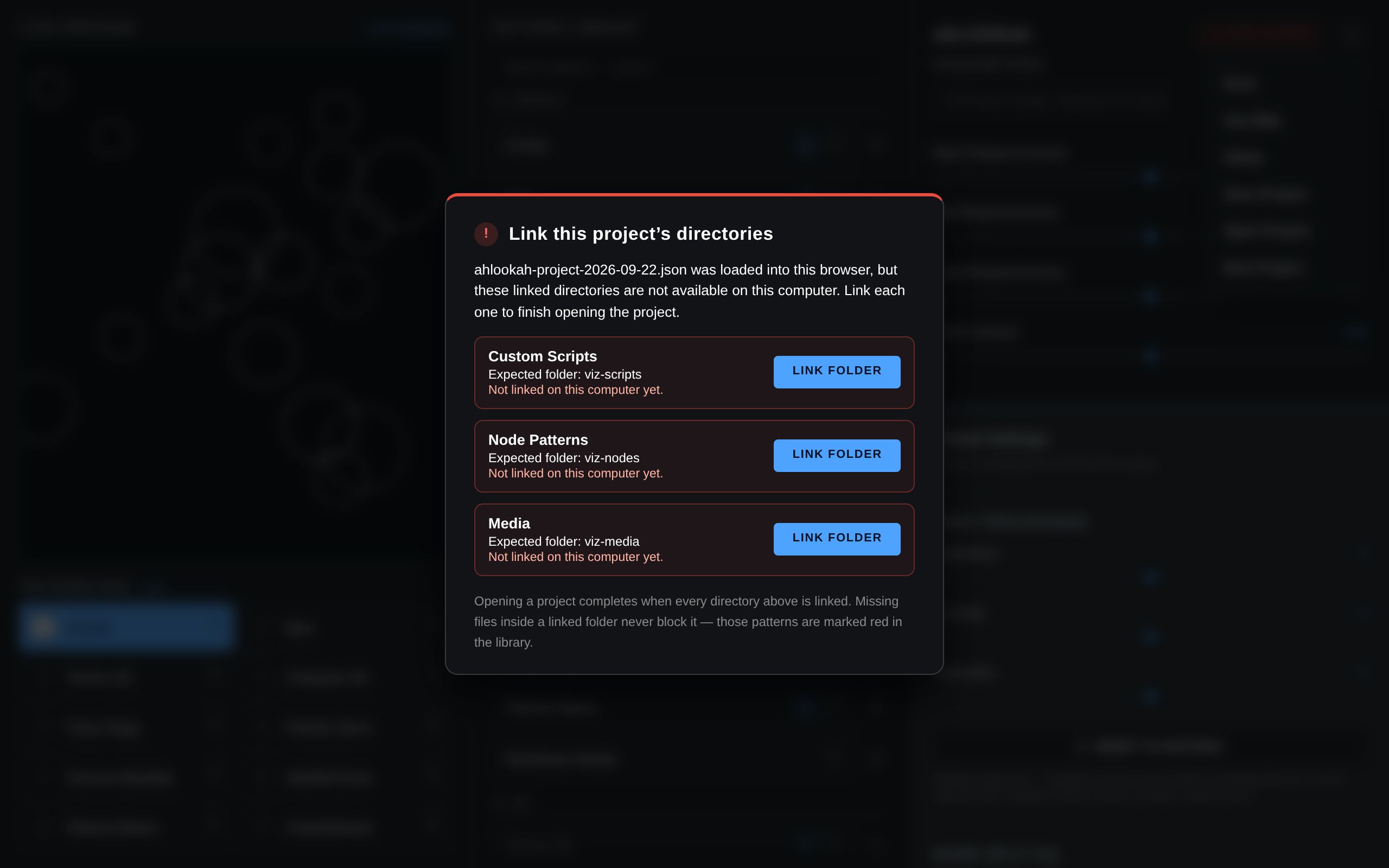
Folder names are hints, not identities. A wrong folder name is an explicit error and is never silently substituted; a same-named folder is checked by identity first and only then by you. If the browser wants a directory re-granted at startup (common after a restart), the startup message names the scripts waiting and Linked → Refresh both renews access and finishes the reopen — no second save or reload.
Missing files never block a project
A file that is not in the linked directory keeps its reference: the affected patterns are marked red in the library and on the pad, Relink File appears in the parameters panel for a media pattern, and the section panel names the missing file. Restore the file, or re-link the pattern, and it renders again.
Scripts come back by fingerprint
For every script the project lists, the file records a SHA-256 of the source instead of the source itself. On Open Project each listed file is re-read, and when its bytes still match it loads automatically — so a project arrives with its custom patterns without clicking anything, on any computer that has the same code in the linked folder. A file that was edited, renamed or added since is left for the explicit OPEN under Custom Scripts, with the panel saying which and why. A project file never carries code or trust, and a listed file without a fingerprint never runs by itself.
Only the files the project had
A project records the files each section actually has — node patterns and media by file name and ID, scripts by fingerprint — never everything a directory happens to contain. Opening it therefore restores exactly those: a folder that also holds twenty other clips, or a graph somebody dropped in since, stays out of your library until you add it with ADD or OPEN. Media is matched by its recorded name and ID, so nothing is read or hashed to decide whether a file belongs here.
Linked directories
Custom Scripts, Node Patterns and Media each keep their folder in this browser. Once a folder is linked, the category header shows a Linked badge; the badge opens compact folder details:
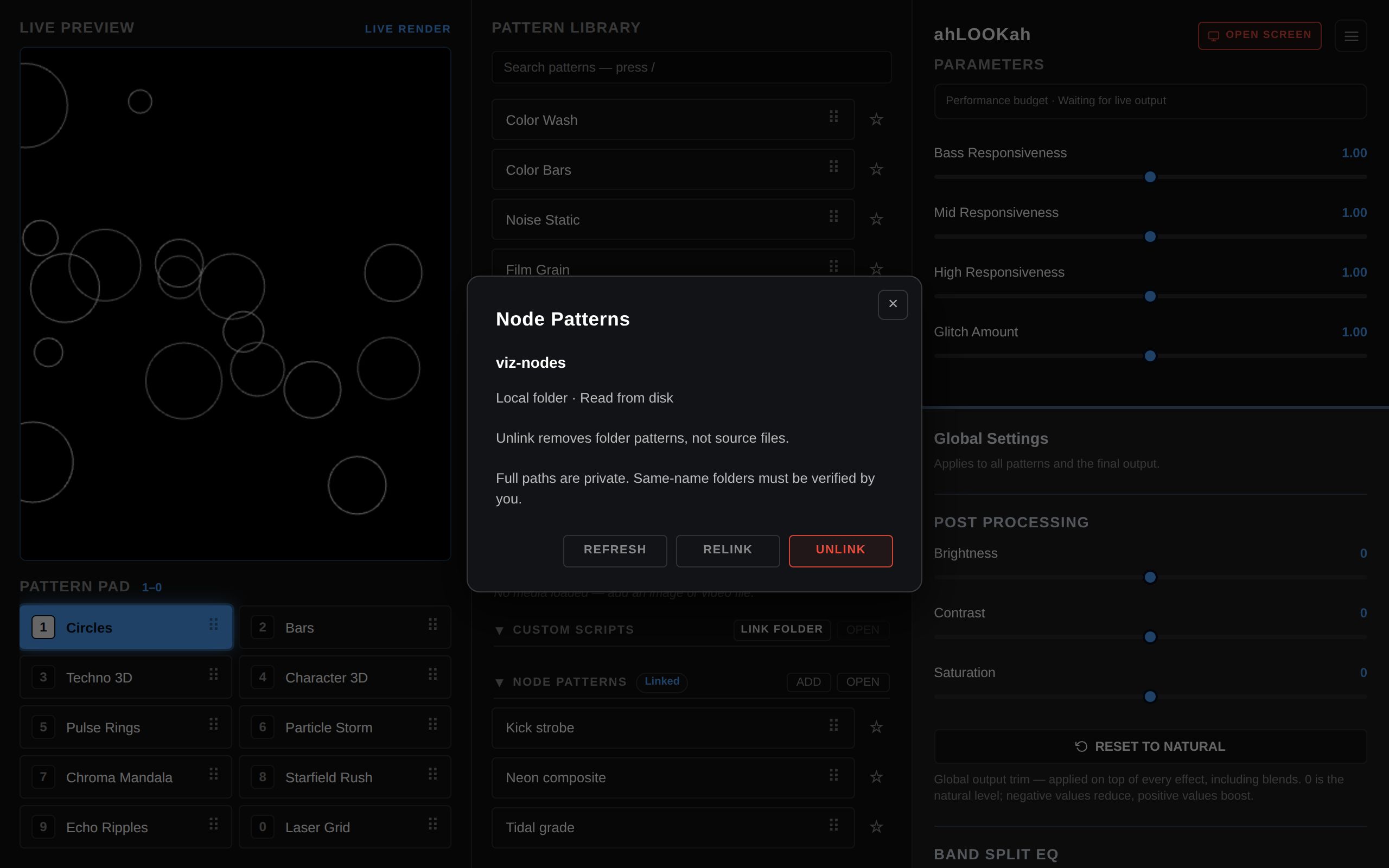
- Refresh — reread the files this section has in your library, pick up their edits and removals, and renew expired access from your click. It never imports a file you have not added; background tabs never ask for permission.
- Relink — choose the folder again (for example after moving it).
- Unlink — forget the folder. Source files are never touched; loaded media references and library entries stay.
Handles live in the browser’s IndexedDB, keyed by the project’s directory identity — which is exactly what lets a saved project resume its folders. The current identity per section is machine-local bookkeeping and is never exported.
New Project
New Project clears this browser back to a fresh project and asks for confirmation first. It removes:
- every project-scoped setting,
- all media patterns,
- the portable folder hints and the current directory identities, and
- the links to Scripts, Node Patterns and Media directories.
It refuses while a CUE is staged (the CUE bank references media patterns that are about to disappear) and it deliberately keeps your per-machine device choices and setup state, so your microphone and camera selection survives. Project files on disk are never touched.
Note Remembered directory handles are kept, keyed by their identity, so re-opening an older project file on this computer still resumes its folders without re-linking.
How projects meet the rest of the app
- Media travels as metadata only, so an imported project starts with everything listed and the files needing a local match — see Media Patterns.
- Custom Scripts reopen from their fingerprint when the code is unchanged; anything else needs an explicit open — see Custom Scripts.
- Node Patterns reuse the project’s directory identity, so pattern ids — and therefore pad slots, merges and parameter references — stay stable across machines. See Node Patterns.
- Older exports (
kind: ahlookah-settings) still load and behave as they always did: they carry no identities, so every linked folder is confirmed by hand.
Saving, opening and relinking never overwrite or delete your source files.